Querying Historical Market Data with SQL (DuckDB)
Once files pass a few hundred megabytes, "open it and look" stops working and most people reach for a data pipeline. There's a lighter answer: DuckDB runs SQL directly over CSV and Parquet files — no server, no import step, gigabytes in seconds. Market data is exactly the shape it was built for.
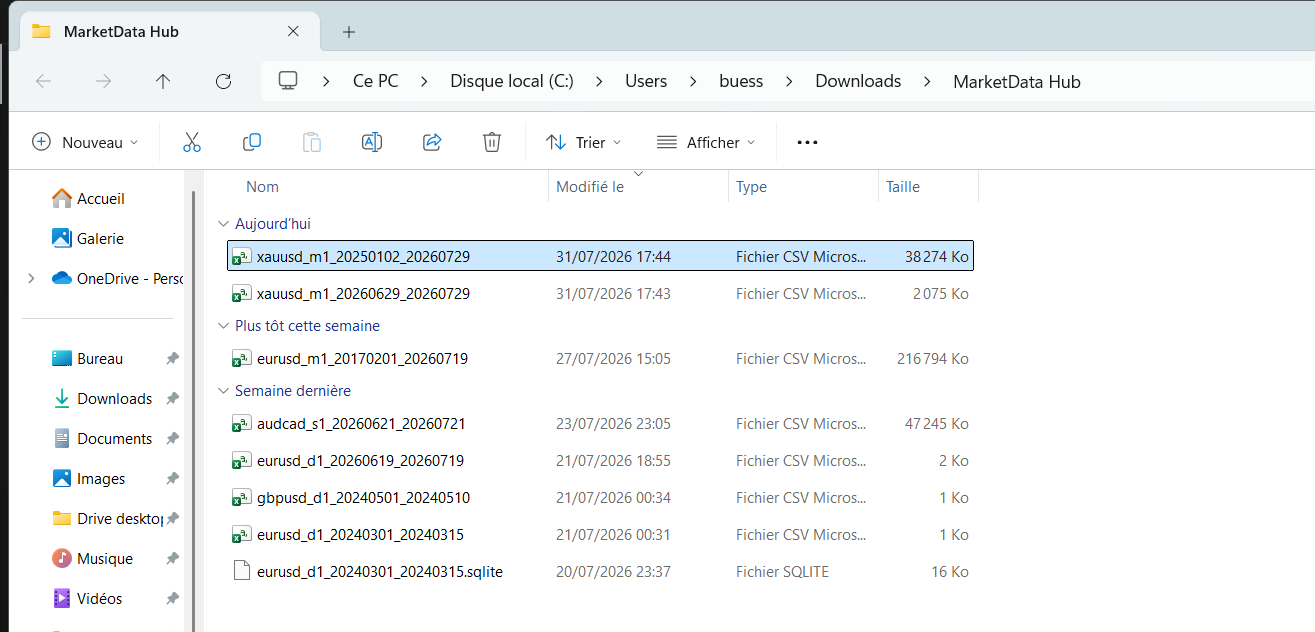
Query the file you already have
DuckDB is a single binary (or pip install duckdb). Point it at an export and query — no schema, no loading:
SELECT epoch_ms(timestamp) AS ts, *
FROM read_csv_auto('eurusd_m1.csv') LIMIT 5;

-- Parquet is even more direct:
SELECT count(*) FROM 'eurusd_m1.parquet';
The timestamp column is an integer — milliseconds since 1970 in UTC, in every format the app writes — so epoch_ms() is the one function you need to turn it into a DuckDB TIMESTAMP. Joins and sorts work on the raw integer as they are.
The MarketData Hub Pro licence writes Parquet and SQLite/DuckDB database files natively — for large series that's the format to pick, several times smaller than CSV and columnar, so queries touch only the columns they use (sizes in the file-size guide). The entry licence's CSV works with everything on this page too, just slower on big files.
Resample candles in one query
Downloaded 1-minute data but need daily? Aggregation is what SQL is for:
SELECT date_trunc('day', epoch_ms(timestamp)) AS day,
       arg_min(open,  timestamp)      AS open,
       max(high)                      AS high,
       min(low)                       AS low,
       arg_max(close, timestamp)      AS close,
       sum(volume)                    AS volume
FROM 'eurusd_m1.parquet'
GROUP BY 1
ORDER BY 1;arg_min/arg_max pick the open of the earliest and the close of the latest minute in each day — the same aggregation rule the candles themselves are built with (see the methodology).
Returns and volatility
WITH daily AS (SELECT * FROM 'eurusd_d1.parquet')
SELECT timestamp,
       close / lag(close) OVER (ORDER BY timestamp) - 1 AS daily_return
FROM daily;
Wrap that in stddev(daily_return) * sqrt(252) and you have annualised volatility without a notebook in sight.
Cross-instrument work
Every export shares UTC timestamps, so two instruments join cleanly:
SELECT corr(g.ret, s.ret)
FROM (SELECT timestamp, close / lag(close) OVER (ORDER BY timestamp) - 1 AS ret
      FROM 'xauusd_d1.parquet') g
JOIN (SELECT timestamp, close / lag(close) OVER (ORDER BY timestamp) - 1 AS ret
      FROM 'xagusd_d1.parquet') s USING (timestamp);
Note it correlates returns, not price levels — correlating levels is the classic error, and two trending series will show a spurious 0.9+ however unrelated their moves. One caveat when joining across asset classes: sessions differ (crypto trades weekends, metals nearly 23 hours), so an inner join silently drops the rows only one side has — decide deliberately whether that's what you want.
SQLite, if that's what your stack speaks
The Pro tier's SQLite export produces one indexed database file per download — openable by the sqlite3 CLI, every programming language's standard library, and DuckDB itself (ATTACH 'eurusd.sqlite' (TYPE sqlite);). Same queries, minus the window-function speed DuckDB brings.
Where to start
Pick an instrument — EUR/USD, BTC/USD or anything in the catalogue — download daily candles as a first file, and run the resampling query above against it. From there, backtesting and pandas both sit one import statement away: DuckDB hands query results straight to a DataFrame with .df().
Frequently asked questions
- Can I query CSV market data without importing it into a database?
- Yes. DuckDB runs SQL directly over CSV and Parquet files with read_csv_auto or a bare file path — no server and no import step. It's a single binary or a pip install.
- Is Parquet better than CSV for historical market data?
- For large series, clearly: Parquet is typically several times smaller and queries read only the columns they need, so scans are much faster. CSV remains the universal interchange format for spreadsheets and older tools.
- How do I convert 1-minute data to daily candles in SQL?
- Group by date_trunc('day', epoch_ms(timestamp)) — the exports store time as epoch milliseconds — and aggregate: arg_min(open, timestamp) for the open, max(high), min(low), arg_max(close, timestamp) for the close, sum(volume). The worked query is in the guide.
- Which licence do I need for Parquet and SQLite export?
- The Pro licence adds Parquet and SQLite/DuckDB writers (plus MetaTrader and NinjaTrader formats). The entry licence exports CSV and JSON, which DuckDB queries directly as well.
Related markets
- Crypto historical data · 33 instruments
- Commodities – Energy historical data · 4 instruments
- Commodities – Metals historical data · 3 instruments
- Commodities – Agriculture historical data · 6 instruments
Related guides
- Backtesting a Trading Strategy with Historical Data
- Loading Historical Market Data in Python (pandas, Backtrader & VectorBT)
- Automating Market Data Downloads
- How to Import Historical Data into MetaTrader 4 & 5
- Importing Historical Data into NinjaTrader 8
- Historical Market Data in Excel & Google Sheets
- How to Use MarketData Hub — The Complete Guide
- Download Gold (XAU/USD) Price History
- Historical Market Data CSV & JSON Format Explained
- Download EUR/USD Price History
- How Far Back Does Historical Market Data Go?