Historical Market Data in Excel & Google Sheets
You don't need Python to analyse market history — a spreadsheet handles charts, returns and moving averages just fine. This guide walks through getting clean historical price data into Excel or Google Sheets and doing something useful with it.
Get the app — €9 →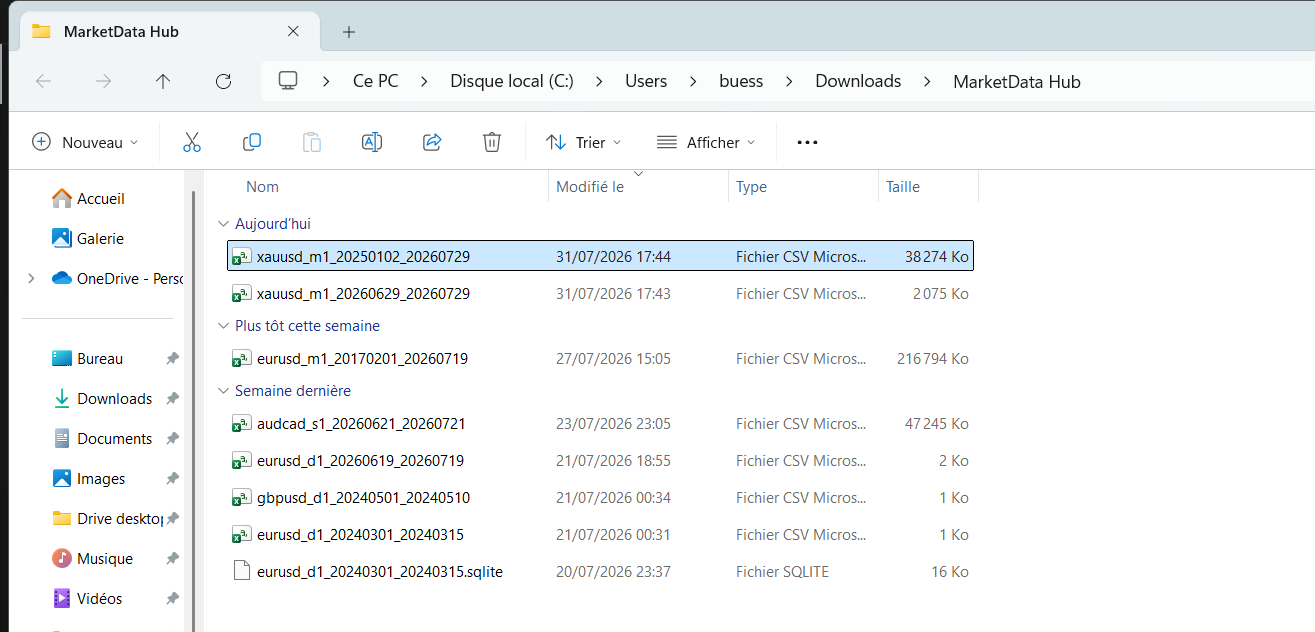
Step 1 — Download the CSV
Grab the instrument you want as a CSV — for example EUR/USD, gold or the US 500 index — choosing a timeframe that suits a spreadsheet. Daily or hourly candles are the sweet spot: Excel tops out at 1,048,576 rows, so decades of daily data fit easily, a few years of 1-minute data still fit, but tick data belongs in code, not a spreadsheet. The file layout (timestamp, open, high, low, close, volume) is documented in the CSV format guide.
Step 2 — Import into Excel
Don't just double-click the file — use Data → Get Data → From Text/CSV. Excel previews the file, detects the comma delimiter, and (importantly) parses the timestamp column as a real date-time. Click Load and you get a sortable, filterable table. If dates come through as text, set the column type to Date/Time in the import dialog (Power Query) rather than reformatting cells afterwards.
Step 2 (alternative) — Import into Google Sheets
Use File → Import → Upload, keep "Detect automatically" for the separator, and Sheets builds the grid with parsed dates. Sheets handles a few hundred thousand rows comfortably (the hard limit is 10 million cells across the sheet), so daily and hourly files are no problem.
Step 3 — Mind the timezone
All timestamps in the export are UTC. For daily candles that rarely matters; for intraday analysis around session opens or news events, remember your local market hours are shifted — convert with a helper column (e.g. =A2 + TIME(2,0,0) for UTC+2) rather than editing the raw data.
Step 4 — Do something with it
- Daily returns:
=(E3-E2)/E2down the close column. - Moving average:
=AVERAGE(E2:E21)for a 20-period SMA, filled down. - Chart: select timestamp + close and insert a line chart — or use Excel's built-in stock chart type with the full open/high/low/close columns for candlesticks.
- Volatility:
=STDEV.S(range of returns)*SQRT(252)annualises daily return volatility.
Common pitfalls
- Double-clicking the CSV — locale-dependent date parsing can silently mangle timestamps; always use the import dialog.
- Too much data — if the file makes the spreadsheet crawl, re-download a shorter range or a coarser timeframe instead of fighting it.
- Weekend gaps — markets close; missing weekend rows are correct, not missing data (see the methodology).
Ready to try it? Pick any of the 265+ instruments and export a daily CSV — it opens straight into either tool.
Frequently asked questions
- How do I get historical stock or forex prices into Excel?
- Download the instrument as a CSV, then use Data → Get Data → From Text/CSV in Excel. The comma-separated file imports with parsed date-times and OHLC price columns ready for charts and formulas.
- How much historical data can Excel or Google Sheets handle?
- Excel holds up to 1,048,576 rows — decades of daily candles or a few years of 1-minute data. Google Sheets allows 10 million cells total. For tick data, use a shorter date range or a programming language instead.
- Why do my imported dates look wrong?
- Opening a CSV by double-clicking lets Excel guess the date format from your locale, which can mangle timestamps. Import via Data → From Text/CSV (or File → Import in Sheets) and set the timestamp column to Date/Time. All timestamps in the exports are UTC.
- Can I build candlestick charts in a spreadsheet?
- Yes. Excel has a built-in stock (open-high-low-close) chart type, and Google Sheets offers a candlestick chart — both map directly onto the exported OHLC columns.
Related markets
- UK Stocks historical data · 12 instruments
- Japan Stocks historical data · 10 instruments
- Indices – Americas historical data · 6 instruments
- Indices – Europe historical data · 9 instruments
Related guides
- Backtesting a Trading Strategy with Historical Data
- Loading Historical Market Data in Python (pandas, Backtrader & VectorBT)
- Querying Historical Market Data with SQL (DuckDB)
- Automating Market Data Downloads
- How to Import Historical Data into MetaTrader 4 & 5
- Importing Historical Data into NinjaTrader 8
- How to Use MarketData Hub — The Complete Guide
- Download Gold (XAU/USD) Price History
- Historical Market Data CSV & JSON Format Explained
- Download EUR/USD Price History
- How Far Back Does Historical Market Data Go?