US Brent Crude Oil Historical Data Downloader
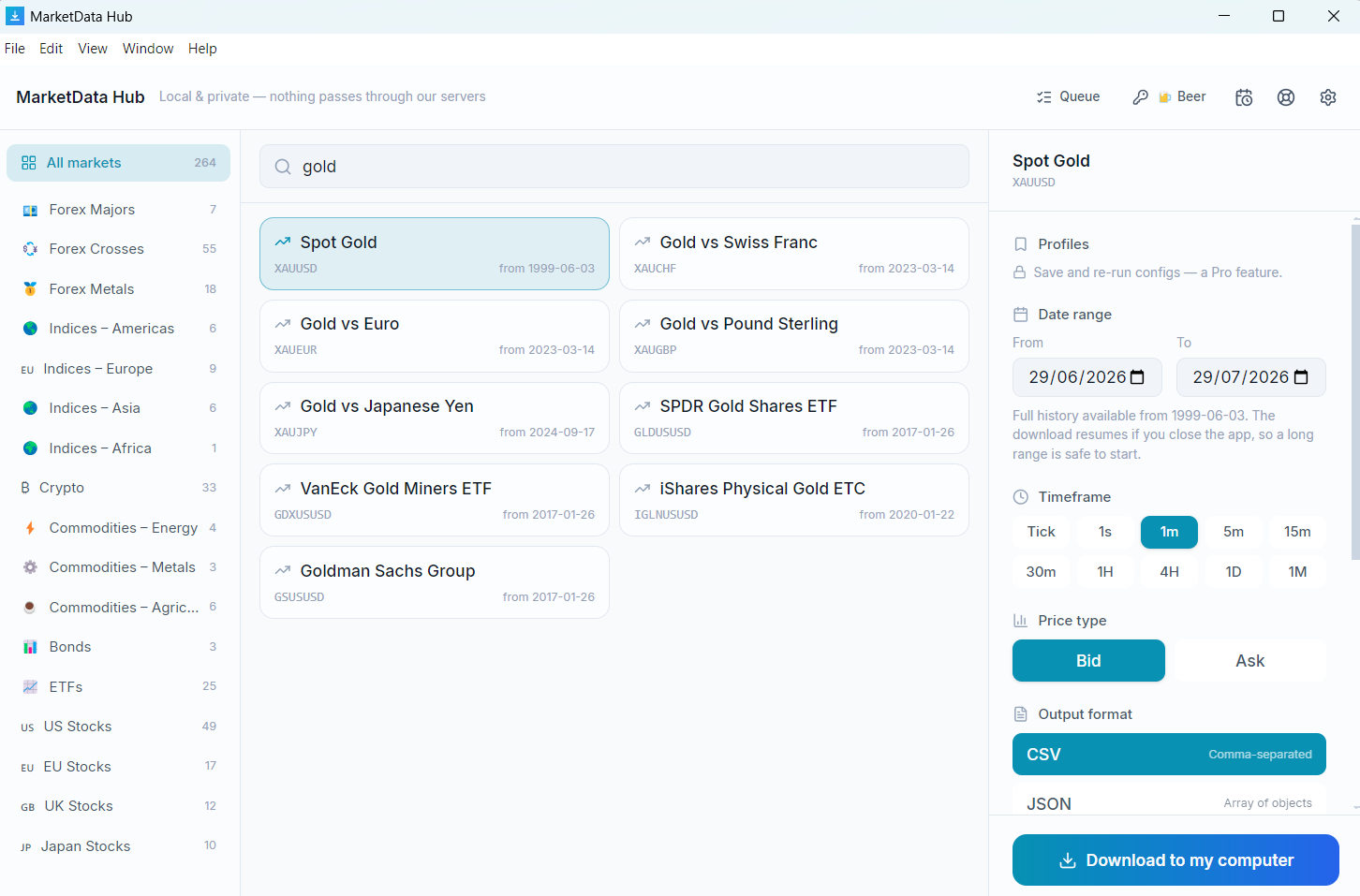
A desktop app that downloads US Brent Crude Oil (BRENTCMDUSD) price history on your own machine, written straight to your disk as CSV or JSON. Daily and monthly US Brent Crude Oil candles reach back to 2006-11-17 — around 20 years — while quote-level tick history begins 2010-12-02. A complete US Brent Crude Oil 1-minute series is roughly 5.7M rows, about 286 MB as CSV.
Preview a US Brent Crude Oil download →Or work out the size first: the file-size calculator takes a range and returns the row count and CSV size.
Windows, macOS, Linux · €9 one-time for the entry licence · get the app
What the app fetches for US Brent Crude Oil
| Symbol | BRENTCMDUSD |
|---|---|
| Instrument | US Brent Crude Oil |
| Asset class | Commodities – Energy |
| Tick & 1-second data from | 2010-12-02 |
| 1–30 minute candles from | 2010-12-02 |
| Hourly & 4-hour candles from | 2010-12-02 |
| Daily & monthly candles from | 2006-11-17 |
| Timeframes | Tick → 1s → 1m → 5m → 15m → 30m → 1h → 4h → Daily → Monthly |
| Price types | Bid & Ask |
| File formats | CSV, JSON (MetaTrader, NinjaTrader, Parquet & SQLite/DuckDB from the Pro licence) |
| Coverage | 2006-11-17 → 2026-09-17 (last completed trading day) |
| Retrieval | Local — your machine connects directly to Dukascopy Bank SA |
| Runs on | Windows, macOS, Linux |
US Brent Crude Oil timeframes the app supports
- Tick (every quote)
- 1 second
- 1 minute
- 5 minutes
- 15 minutes
- 30 minutes
- 1 hour
- 4 hours
- Daily
- Monthly
US Brent Crude Oil coverage & file size, timeframe by timeframe
US Brent Crude Oil does not start at the same date at every granularity: daily candles begin 2006-11-17, but the tick archive only reaches 2010-12-02, roughly 4 years later. Each row below gives that timeframe's own start date and scale, current through 2026-09-17:
| Timeframe | History from | Approx. rows | Approx. CSV |
|---|---|---|---|
| Tick (every quote) | 2010-12-02 | very large | — |
| 1 second | 2010-12-02 | very large | — |
| 1 minute | 2010-12-02 | ~5.7M | ~286 MB |
| 5 minutes | 2010-12-02 | ~1.1M | ~57 MB |
| 15 minutes | 2010-12-02 | ~381K | ~19 MB |
| 30 minutes | 2010-12-02 | ~190K | ~10 MB |
| 1 hour | 2010-12-02 | ~95,200 | ~5 MB |
| 4 hours | 2010-12-02 | ~23,800 | ~1 MB |
| Daily | 2006-11-17 | ~5,000 | ~249 KB |
| Monthly | 2006-11-17 | ~240 | ~12 KB |
Counts are approximate, derived from commodity session hours across the available history. Tick and 1-second runs are queued and resumable rather than fetched in one pass. See the data methodology for how candles are built.
Working with the US Brent Crude Oil series
This is a continuous CFD rather than a single futures contract, meaning it rolls from one delivery month to the next as each expires. Rolls introduce discontinuities that are an artefact of the contract change and not a market move — if your strategy trades gaps or breakouts, it will find signals at the roll dates that were never tradable. Daily coverage begins 2006; tick data starts 2010.
What's inside the US Brent Crude Oil file
timestamp,open,high,low,closeOne row per candle; tick files instead carry timestamp,bid,ask on every quote. All timestamps are UTC. Worked examples and import steps are in the CSV & JSON format guide.
About US Brent Crude Oil
US Brent Crude Oil (BRENTCMDUSD) is a commodity CFD with 20 years of retrievable history. It is commonly used for backtesting commodity and futures strategies, seasonality and volatility studies, hedging research and quantitative model training. Pick any date range from 2006-11-17 onward, choose a timeframe and the bid or ask side, and the app fetches and writes the files locally — no scripting.
Frequently asked questions
- How far back does US Brent Crude Oil data go?
- US Brent Crude Oil daily and monthly candles reach back to 2006-11-17 — roughly 20 years. Tick and intraday history is shorter: it begins 2010-12-02. Both run up to the last completed trading day, and every licence tier reaches all of it.
- Why does US Brent Crude Oil tick data start later than its daily candles?
- Because they come from different parts of the archive. Daily and monthly US Brent Crude Oil candles are reconstructed from long-run end-of-day records going back to 2006-11-17, while the tick archive — every individual bid/ask quote — only begins 2010-12-02, about 4 years later. If your study needs the full 20-year span, work in daily candles; if it needs quote-level detail, 2010-12-02 is the earliest US Brent Crude Oil start date available.
- How large is a full US Brent Crude Oil download?
- The complete US Brent Crude Oil 1-minute history is roughly 5.7M rows, about 286 MB as CSV. Daily candles over the same instrument are far smaller — around 5,000 rows, 249 KB. Tick and 1-second runs are larger again and are queued and resumable rather than fetched in one pass. Sizes are approximate; nothing is priced by volume.
- What columns are in the US Brent Crude Oil CSV file?
- OHLC files contain a timestamp plus open, high, low and close columns; tick files contain a timestamp with bid and ask prices. All timestamps are UTC. The files import directly into Excel, Google Sheets, Python (pandas read_csv), R, MetaTrader, NinjaTrader and TradingView.
- Do you sell US Brent Crude Oil data?
- No — we sell software. The MarketData Hub client retrieves US Brent Crude Oil (BRENTCMDUSD) on your own machine, under your instruction, directly from the source; we never host, cache or relay it. Your use of the retrieved data is subject to the source's terms.
Guides
- Get the app — Windows, macOS, Linux
- How to download historical commodity data
- CSV & JSON format — columns explained
- Tick data vs OHLC candles
- Backtesting with historical data
- Query with SQL (DuckDB)
- Import into NinjaTrader
Related Commodities – Energy
Preview your US Brent Crude Oil download — pick a range, see the exact file →
Sizing it up rather than fetching it? Estimate US Brent Crude Oil rows and CSV size for any date range.
The preview runs in the browser; the download runs in the free desktop app, on your machine.