Mastercard Inc Historical Data Downloader
A desktop app that downloads Mastercard Inc (MAUSUSD) price history on your own machine, written straight to your disk as CSV or JSON. History runs from 2017-05-11 — around 9 years — at every timeframe from raw ticks to monthly candles. A complete Mastercard Inc 1-minute series is roughly 931K rows, about 47 MB as CSV.
Or work out the size first: the file-size calculator takes a range and returns the row count and CSV size.
Windows, macOS, Linux · €9 one-time for the entry licence · get the app
What the app fetches for Mastercard Inc
| Symbol | MAUSUSD |
|---|---|
| Instrument | Mastercard Inc |
| Asset class | US Stocks |
| History available from | 2017-05-11 |
| Timeframes | Tick → 1s → 1m → 5m → 15m → 30m → 1h → 4h → Daily → Monthly |
| Price types | Bid & Ask |
| File formats | CSV, JSON (MetaTrader, NinjaTrader, Parquet & SQLite/DuckDB from the Pro licence) |
| Coverage | 2017-05-11 → 2026-11-02 (last completed trading day) |
| Retrieval | Local — your machine connects directly to Dukascopy Bank SA |
| Runs on | Windows, macOS, Linux |
Mastercard Inc timeframes the app supports
- Tick (every quote)
- 1 second
- 1 minute
- 5 minutes
- 15 minutes
- 30 minutes
- 1 hour
- 4 hours
- Daily
- Monthly
Mastercard Inc coverage & file size, timeframe by timeframe
Every Mastercard Inc timeframe shares the same 2017-05-11 start date, but not the same scale — coarser candles stay small while tick and intraday files grow fast. Current through 2026-11-02:
| Timeframe | History from | Approx. rows | Approx. CSV |
|---|---|---|---|
| Tick (every quote) | 2017-05-11 | very large | — |
| 1 second | 2017-05-11 | very large | — |
| 1 minute | 2017-05-11 | ~931K | ~47 MB |
| 5 minutes | 2017-05-11 | ~186K | ~9 MB |
| 15 minutes | 2017-05-11 | ~62,100 | ~3 MB |
| 30 minutes | 2017-05-11 | ~31,000 | ~2 MB |
| 1 hour | 2017-05-11 | ~15,500 | ~776 KB |
| 4 hours | 2017-05-11 | ~3,900 | ~194 KB |
| Daily | 2017-05-11 | ~2,400 | ~119 KB |
| Monthly | 2017-05-11 | ~110 | ~6 KB |
Counts are approximate, derived from stock session hours across the available history. Tick and 1-second runs are queued and resumable rather than fetched in one pass. See the data methodology for how candles are built.
What's inside the Mastercard Inc file
timestamp,open,high,low,closeOne row per candle, stamped with the bar's opening time; tick files instead carry timestamp,askPrice,bidPrice,askVolume,bidVolume on every quote — ask first. Timestamps are epoch milliseconds in UTC, which pd.to_datetime(df.timestamp, unit="ms", utc=True) or =A2/86400000+DATE(1970,1,1) turns into a date. Worked examples and import steps are in the CSV & JSON format guide.
About Mastercard Inc
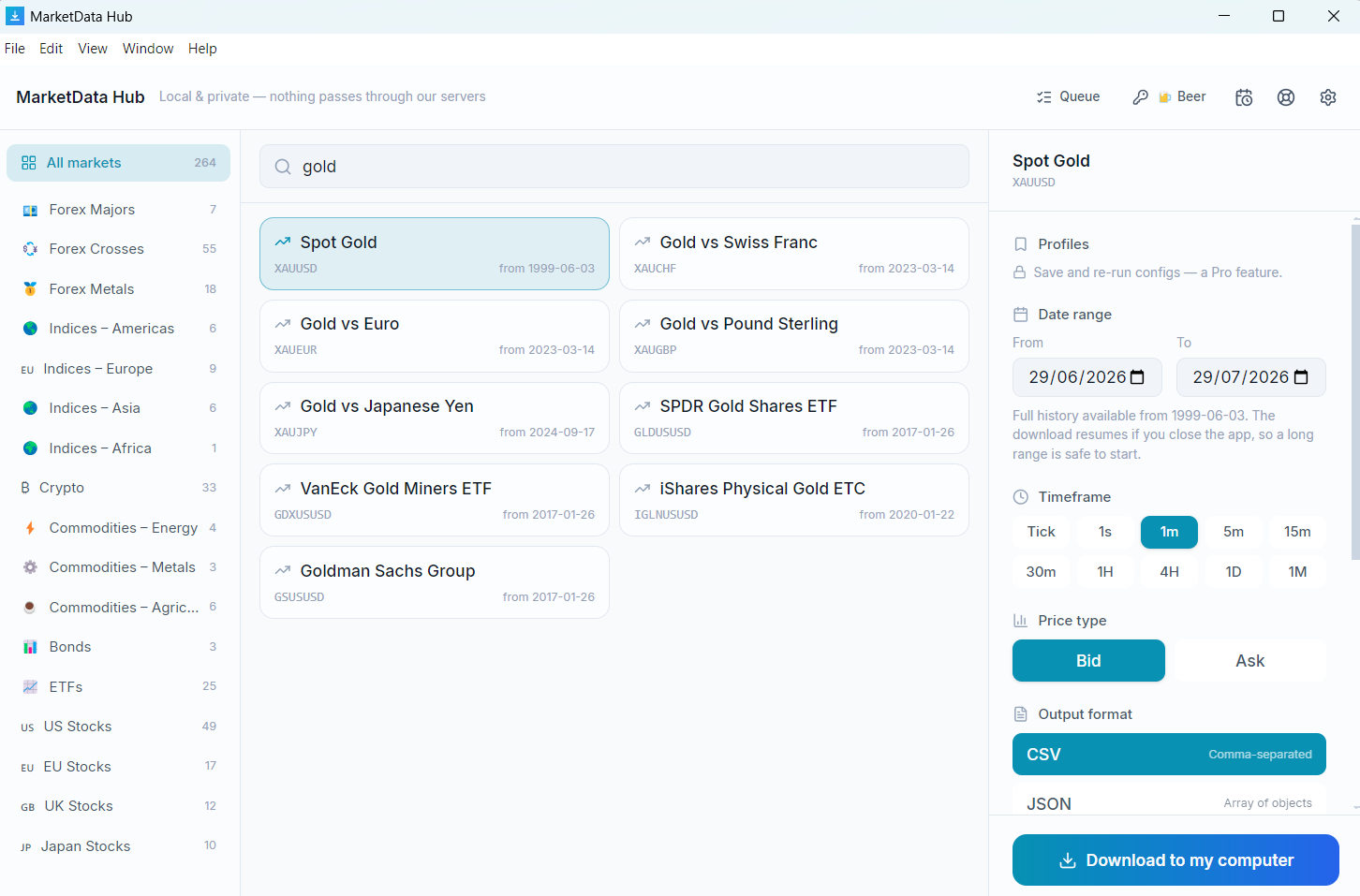
Mastercard Inc (MAUSUSD) is a single-stock CFD with 9 years of retrievable history. It is commonly used for equity backtesting, factor and event studies, charting intraday and end-of-day price action, and training trading models on real OHLC history. Pick any date range from 2017-05-11 onward, choose a timeframe and the bid or ask side, and the app fetches and writes the files locally — no scripting.
Frequently asked questions
- How far back does Mastercard Inc data go?
- Mastercard Inc history runs from 2017-05-11 — roughly 9 years — up to the last completed trading day, at every timeframe from raw ticks to monthly candles. Every licence tier reaches all of it.
- How large is a full Mastercard Inc download?
- The complete Mastercard Inc 1-minute history is roughly 931K rows, about 47 MB as CSV. Daily candles over the same instrument are far smaller — around 2,400 rows, 119 KB. Tick and 1-second runs are larger again and are queued and resumable rather than fetched in one pass. Sizes are approximate; nothing is priced by volume.
- What columns are in the Mastercard Inc CSV file?
- OHLC files contain a timestamp plus open, high, low and close columns; tick files contain a timestamp with bid and ask prices. All timestamps are UTC. The files import directly into Excel, Google Sheets, Python (pandas read_csv), R, MetaTrader, NinjaTrader and TradingView.
- Do you sell Mastercard Inc data?
- No — we sell software. The MarketData Hub client retrieves Mastercard Inc (MAUSUSD) on your own machine, under your instruction, directly from the source; we never host, cache or relay it. Your use of the retrieved data is subject to the source's terms.
Guides
- Get the app — Windows, macOS, Linux
- How to download historical stock data
- CSV & JSON format — columns explained
- Tick data vs OHLC candles
- Backtesting with historical data
- Excel & Google Sheets
- Load in Python (pandas)
Related US Stocks
- Apple Inc
- Microsoft Corp
- Amazon.com Inc
- Alphabet Inc (Google) Cl C
- Alphabet Inc (Google) Cl A
- Tesla Inc
- NVIDIA Corp
- Meta Platforms Inc
- Alibaba Group
- JPMorgan Chase & Co
- Visa Inc
- Johnson & Johnson
Preview your Mastercard Inc download — pick a range, see the exact file →
Sizing it up rather than fetching it? Estimate Mastercard Inc rows and CSV size for any date range.
The preview runs in the browser; the download runs in the free desktop app, on your machine.